How to use DJ Crate
A beginner route: sign in, try the demo, build your own library, search, listen, and sell records.
DJ Crate is a working library for vinyl DJs, sellers, and record shops. It helps you build a collection, find the record you need quickly, listen to short excerpts, print QR stickers, and show records for sale. Every feature is free.
The fast route for a beginner: try the demo to learn the interface, sign in, build your library through Add, and set up only the sections you need. Below is the step-by-step path.
Try the demo first
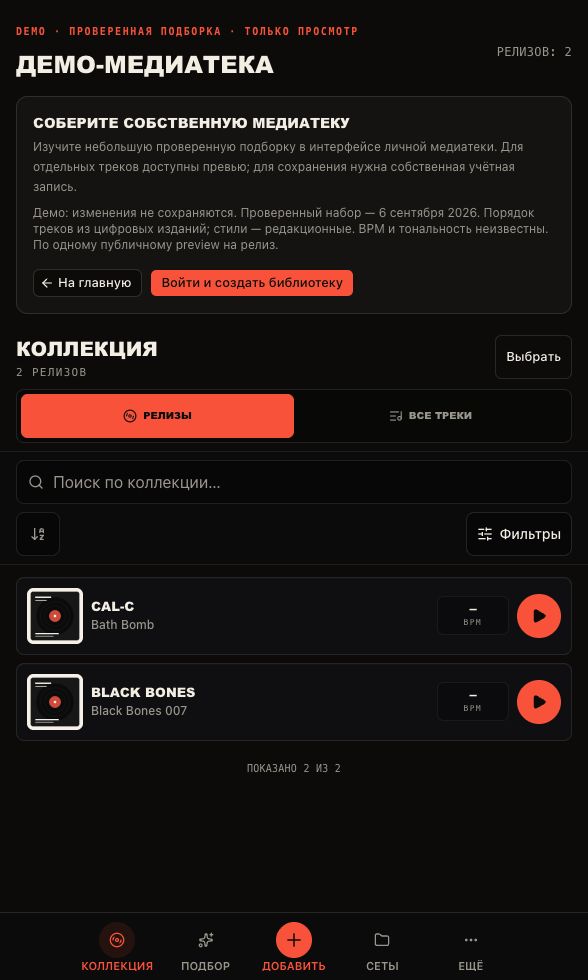
The demo opens without an account and adds nothing to your library. Walk through the releases and see how search, the release card, and previews work.
- Press “Open the demo” — a ready showcase opens without signing in.
- Find a release with search or filters.
- Open the release and look at its card and tracklist.
- Come back and sign in to build your own library.
Sign in to your account
Sign-in works by email: enter your address, get a one-time code, and enter it on the sign-in page. After signing in, your collection opens — it is empty until you add releases.
- Press “Sign in” in the top navigation.
- Enter your email and get a code.
- Enter the code from the email.
- If the email did not arrive, check the spam folder and request a new code.
Build a library through Add
Open Add in the collection navigation. There are four paths: “Import CSV” to upload a Discogs collection as a file, “Search catalog” to find a release in the shared DJ Crate catalog, “Discogs” to add one release by link or ID, and “Manual” to create a release that exists in no database.
Start with an import if your collection is large, or add one or two releases by hand to get comfortable with the interface.
- Press “Add” in the Collection navigation.
- For a file, open the “Import CSV” tab.
- For search, open the “Search catalog” tab and type artist, title, label, or catalog number.
- For a single release, open “Discogs” and paste a link or ID.
- If the release is in no database, open “Manual” and fill in the fields.
How a release differs from your copy
A release is the shared card for a record: artist, title, label, catalog number, format, year, and tracklist. It is the same for everyone and is created once.
Your copy is the physical record in your collection. One shared release card can back several of your copies: for example, a main copy and a spare. Storage location, condition, and notes belong to your copy, not to the shared release.
Search, filters, and listening
On the Collection page the search field understands artist, title, label, and catalog number. The “Filters” button opens precise filters: genre and style, BPM range, key, condition, and personal tags. The view switcher shows “Releases” or “All tracks”.
Open a release and press ▶ on a track to hear a short excerpt. A preview helps you recognize the track and judge its sound, but it is not the full track: the library works with short excerpts. If a track has no preview, press “Find a preview” — the service searches open sources. Nobody guarantees a full track.
Your copy, QR labels, and selling
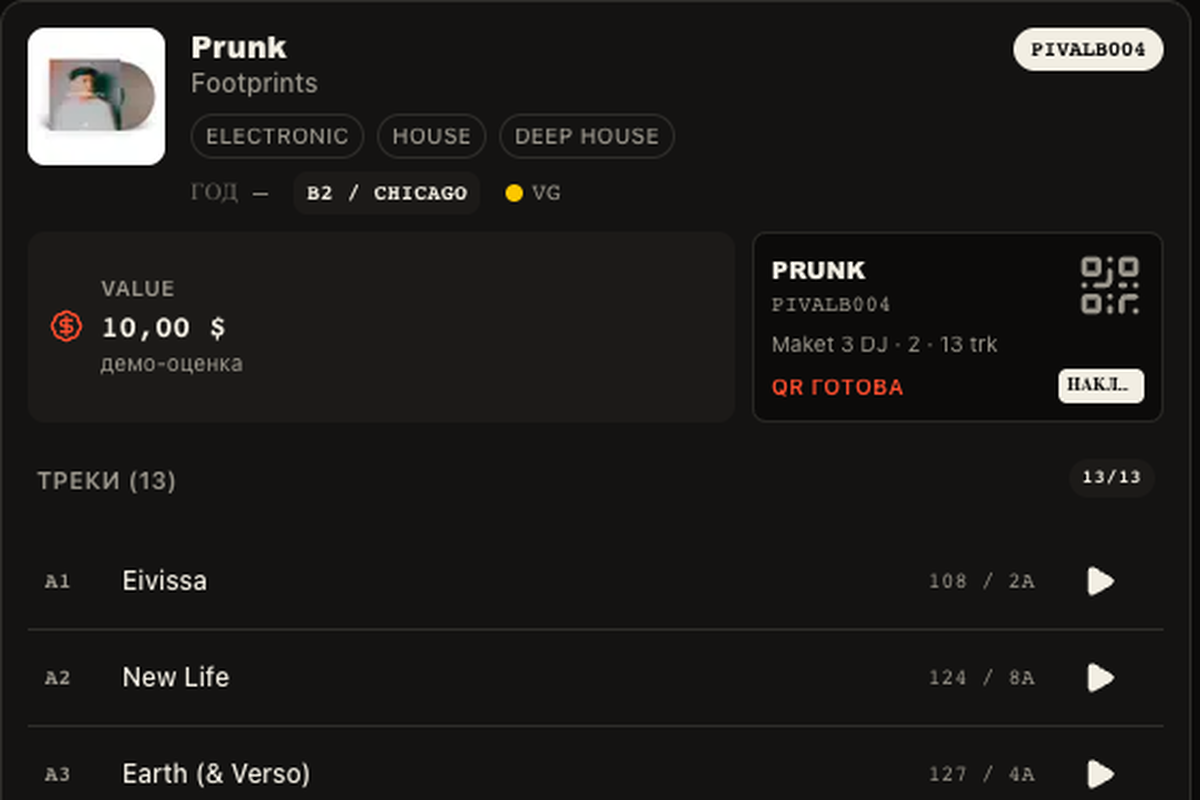
For each of your copies you can set a storage location (crate or shelf), media and sleeve condition, and a personal note. These personal fields are visible only to you and are not published in your profile.
QR stickers are printed on the “Stickers” page: the QR opens the passport for that exact copy. If you sell, set the copy status to “For sale” and add a price — the buyer sees them on the passport and in the listing. The public profile and showing records in Crate Digs are enabled separately in the profile settings: the profile alone does not enable selling.