What BPM and key mean
A plain explanation of tempo, key, and Camelot, your own corrections, and checking by ear.
BPM is a track's approximate tempo in beats per minute. Key is the musical tonality, and Camelot is a handy notation for that key, such as 8A. Together they help you pick compatible tracks for a warm-up or peak-time set. In DJ Crate the values come from shared analysis, and you can save your own correction.
A simple example: a 124 BPM track in the key 8A. If a value looks wrong, you do not have to accept it — check it by ear.
BPM, key, and Camelot in plain words
BPM shows how fast a track plays. Key shows its musical tonality. Camelot is a wheel of 24 values such as 1A–12B that makes harmonic mixing predictable: neighbouring values sound good together.
For example, 124 and 8A mean a tempo of 124 beats per minute and a key written as 8A.
Where to see the values
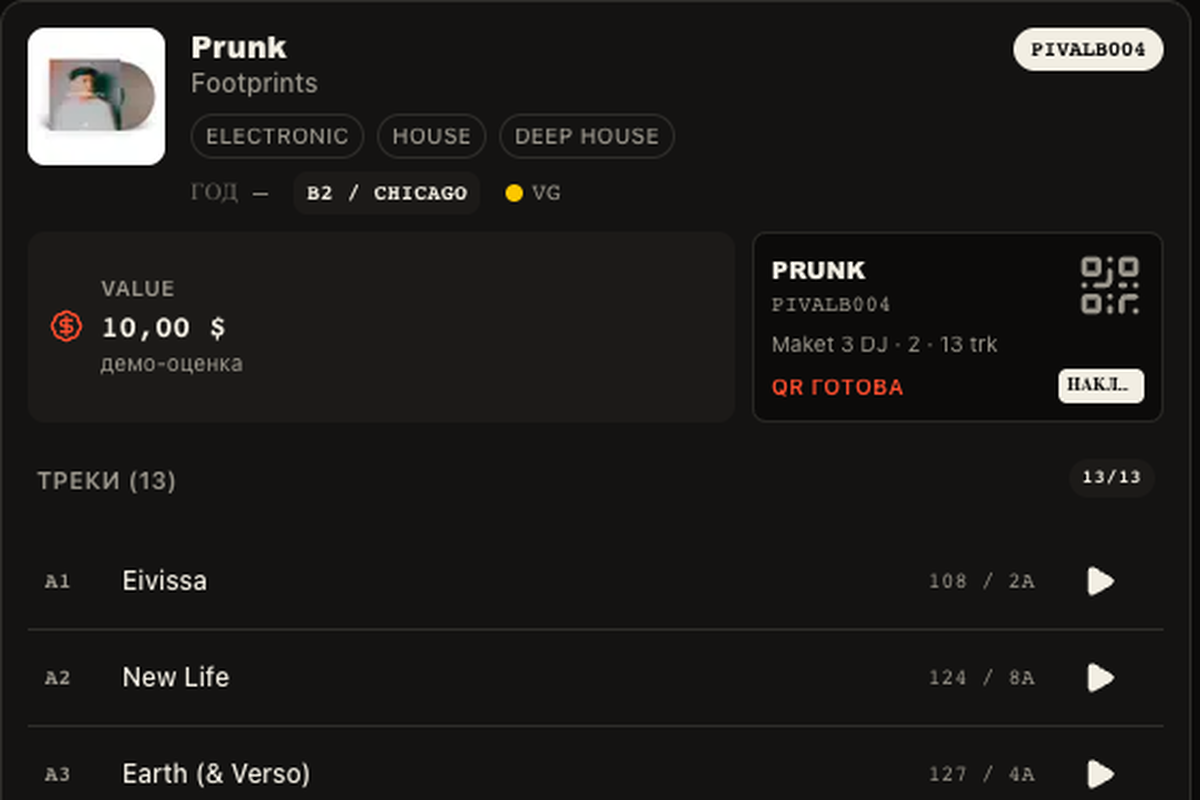
In the tracklist two numbers stand next to each track: BPM and key (Camelot). You can also use them in filters: set a BPM range and choose a key to narrow the results.
- Open Collection and select a release.
- Find the track in its tracklist. Its tempo (BPM) and key appear next to the track name.
- Return to the collection and open Filters to choose a BPM range and key for your search.
Your own correction
Listen to the track first. Sometimes the analysis locks onto a half-time grid: a 124 BPM house track is detected as 62. If you are sure the track plays twice as fast, save your personal correction on the card. Do not always double the value: for slow genres 62 can be the correct tempo.
Your correction does not change shared analysis for other people. Your copy's BPM/key may be visible to visitors when your collection is open or the copy is for sale.
When a value is missing
A missing BPM or key is not 0 BPM: it just means analysis has not run yet. Press “Find a preview” to look for the track in open sources. A short excerpt can misread tempo or key, so verify transitions by ear in headphones or DJ software.